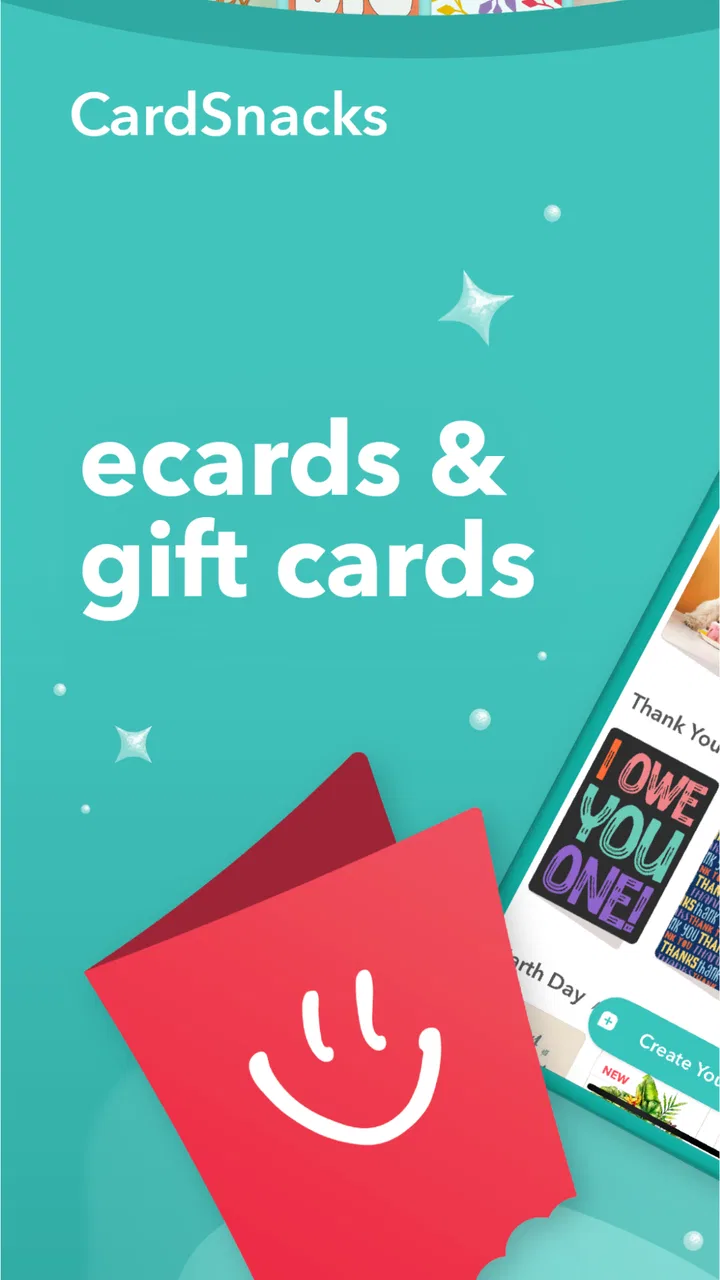
CardSnacks: ecards, gift cards
- 4.8
- Rating
- 100.00K
- Installs
- Free
- Price

 Analysis by App-foxy
I tried CardSnacks as a practical way to send a small gesture when a handwritten card or a shop visit was not convenient. It is a lifestyle app from Mobigram LLC built around sending greeting cards and gift cards by text or email, with occasions such as birthdays and thank-you messages in mind. My overall impression is that it is easiest to appreciate when speed and convenience matter more than a highly personal, handcrafted presentation.
The accessibility question is especially important here because a digital card can remove some everyday obstacles while creating others. Someone may be unable to get to a store, may find handwriting difficult, or may need to send something from a phone at short notice. At the same time, reading small text, navigating a busy screen, choosing a gift card carefully, or completing a purchase can still be tiring. CardSnacks makes the most sense when you look at both sides rather than treating digital delivery as automatically inclusive.
How CardSnacks feels to read and navigate
I focus here on the reading and navigation experience, especially how a sender can make a digital greeting easier for someone else to receive. I also look at the small choices—message length, visual simplicity, and delivery channel—that can make a card feel welcoming rather than demanding. That perspective leads naturally to a closer look at the app’s everyday workflow.
You May Also Like

 Pandora - Music & Podcasts
Pandora’s Music Is Easy to Start, but Harder to Recover
Pandora’s strength is its low-effort path from a seed to a station. Its weak spot is how much confidence it asks you to place in connection, setup, and quiet recovery.

 8 Ball Pool
 Is Built on Rivalries, Rematches, and Routine
A close look at the rivalries, rematches, shared routines, and unanswered safety questions that turn a quick pool match into a persistent mobile community.

 Samsung Music
’s Quiet Strength Is Playing What You Already Own
Its reach comes less from spectacle than from dependable access to a personal library. That simplicity is both the app’s strongest retention engine and its ceiling.

 AccuWeather: Weather Radar
AccuWeather Review: A Quick, Clear Forecast for Everyday Decisions
For everyday plans, the best forecast is the one you can understand quickly. AccuWeather makes rain timing, radar, and local conditions easy to act on, with a few trade-offs.

 Hill Climb Racing
Why Hill Climb Racing Still Turns Crashes Into One More Run
A tiny car, a bumpy hill and one more upgrade: Hill Climb Racing keeps resurfacing because its simple chaos makes every near-miss feel personal.

 AliExpress - Shopping App
AliExpress Makes Global Shopping Feel Personal, but Shoppers Bear the Risk
AliExpress turns a global marketplace into a pocket-sized discovery engine. Its reach is useful, its shopping loop compelling, and its trade-offs easy to miss.
More From Our News Desk
View All News


A simple idea with a useful everyday purpose
The main concept is easy to understand: choose a card or gift card, personalize the gesture, and send it through a familiar digital channel. That clarity is one of the app’s strongest qualities. I did not feel that I needed to learn a complicated creative tool before getting started. For a quick birthday message, a thank-you note, or a small surprise sent by text or email, the basic workflow feels more approachable than designing something from scratch.
This simplicity can help people who are uncomfortable with elaborate editing interfaces. A person who wants to communicate warmth but does not have the time, confidence, or physical ability to create a polished card manually may find the ready-made format less demanding. It also suits relatives and friends who are comfortable using a phone but do not want to manage a separate design program, image editor, and messaging service.
In my experience, the most important navigation decision is to begin with the occasion rather than browsing aimlessly. If I am sending a thank-you message, I would go directly toward that purpose, then judge the card by its wording and visual tone. This reduces the amount of scrolling and comparison involved. It is a small habit, but it matters for anyone who becomes fatigued by too many choices or has difficulty keeping track of where they are in a long catalog.
Readability depends on the chosen design
CardSnacks is not one fixed visual experience because the card itself becomes the main thing the recipient sees. Some designs may be comfortable for a reader who prefers clear, uncluttered text, while others may place more emphasis on decoration. I would therefore avoid assuming that every card works equally well for someone with reduced vision, dyslexia, attention difficulties, or sensitivity to busy imagery.
My practical advice is to preview the complete card before sending it, not just the thumbnail. Look at the message area, the contrast between text and background, and whether the wording remains easy to follow on a phone. If the recipient uses a larger display or relies on zoom, a card with a short message and a cleaner layout is a safer choice than one whose meaning depends on tiny decorative details.
The same check is useful for the sender. If you are working in a bright room, a dim room, or with a phone set to enlarged text, the composition may look different from the small preview you first saw. I would treat the preview as a communication check: can the recipient understand the message without needing to interpret visual clutter? That is more useful than choosing a design solely because its thumbnail looks lively.
Text and message length require judgment
A digital card gives me room to add a personal note, but longer is not always better. For someone who reads slowly, uses text-to-speech, or becomes overwhelmed by dense writing, a short and direct message may be kinder. I would put the essential sentiment near the beginning instead of hiding it after several lines of introduction.
There is also a social accessibility issue. A recipient may open the card in a public place, at work, or while sharing a device with family members. A discreet message can be easier to receive than one filled with loud visual effects or highly personal wording. CardSnacks works best when I choose the card for the person’s actual context, not just for my own idea of what looks festive.
Where it compares well with ordinary alternatives
Compared with buying a physical card, writing it, finding a stamp, and arranging delivery, this app has an obvious advantage for last-minute communication and for people who cannot easily travel. Compared with sending a plain text message, it adds a sense of occasion without requiring me to design an image myself. That middle ground is its clearest role.
A conventional messaging app may still be better when the recipient needs a very specific format, such as large plain text, a voice note, or a detailed explanation. A physical card may be preferable when tactile objects are meaningful or when the occasion calls for something to keep. CardSnacks is not a replacement for every form of connection; it is a convenient bridge between a bare message and a mailed card.
Motor and sensory considerations during use
For people with limited hand movement, tremors, joint pain, or difficulty performing precise taps, the number of small decisions in a purchase workflow matters. Selecting a design, entering a message, choosing a delivery method, and checking the final result can be more demanding than the cheerful concept suggests. I would prepare the recipient’s details and the message before opening the app so the process involves less typing and fewer corrections.
Typing is often the hidden barrier. A short card message reduces repeated tapping, while copying a carefully prepared note from another app can help someone who finds on-screen keyboards tiring. I would still proofread the final version because correcting an error after sending may be awkward, particularly when the sender is relying on voice input or a keyboard with enlarged controls.
Voice control and screen magnification may help at the operating-system level, but the experience can vary depending on how the app presents labels, buttons, and card artwork. I would not describe CardSnacks as a guaranteed solution for any particular disability. Instead, I see it as an app whose usefulness depends partly on the phone’s own accessibility settings and on selecting a visually straightforward card.
Sensory preferences also deserve attention. A highly decorated greeting can feel joyful to one recipient and exhausting to another. If someone is sensitive to animation, intense colors, crowded layouts, or unexpected sound, I would choose the calmest design available and avoid assuming that more visual energy equals more affection. The app can support a thoughtful gesture, but the sender has to make the sensory judgment.
Gift cards add convenience and responsibility
The gift-card side can be more useful than a greeting alone when I know the recipient would prefer choosing something for themselves. It can also reduce the physical effort involved in shopping for a present. For a person with limited mobility, chronic illness, or a schedule that makes errands difficult, receiving a digital gift can be genuinely practical.
However, gift cards create extra steps that a simple greeting does not. I would double-check the recipient’s email address or phone number, confirm the intended brand or use, and read the final screen slowly before completing the purchase. A mistake in a sentimental message is embarrassing; a mistake involving a gift card can be much more frustrating. The convenience is real, but it should not encourage rushed checking.
There is also a difference between independence and assistance. Some recipients may appreciate choosing their own gift, while others may need help opening the message, understanding the redemption instructions, or navigating the retailer’s separate system. If I were sending one to someone who is not comfortable with digital purchases, I would tell them what to expect and offer help without taking control away from them.
Using it in real situations
Imagine remembering a colleague’s birthday during a busy workday while you are away from home. A physical card is no longer realistic, and a plain message may feel too casual. I could select a suitable card, write one warm sentence, review its readability on my phone, and send it through text or email. That is where CardSnacks feels most convincing: it turns a delayed intention into a finished gesture without requiring a trip to a shop.
Another situation is a family member recovering at home who cannot easily receive visitors. A digital card can arrive without asking them to answer the door or manage physical mail. The sender should still consider the recipient’s energy level. A short, clear message may be more welcome than an elaborate card that demands attention when the person is tired.
For a thank-you after receiving help, I would use the card as an addition to a direct message rather than as a substitute for specific appreciation. Mentioning what the person did makes the gesture feel personal. The app supplies the presentation; the sender supplies the meaning.
Situational access: when the app helps most
CardSnacks is particularly well suited to distance, urgency, and limited mobility. It can help when friends or relatives live in different places, when a celebration has been forgotten until late, or when buying and mailing a card would be difficult. Email and text delivery also fit recipients who already check those channels regularly, so the card does not depend on a separate physical delivery routine.
It may be less suitable when the recipient has unreliable internet access, shares an email account, avoids digital gift cards, or prefers physical mail. A digital delivery can also be easy to miss among other notifications. If the occasion is important, I would tell the recipient to look out for the card rather than assuming the message will receive immediate attention.
The app is free to install, which lowers the barrier to trying the basic experience. Some items involve in-app purchases ranging from around three dollars to around thirty dollars each, so I would decide in advance whether I only want a greeting or whether a paid gift is appropriate. That difference is important for users managing a strict budget or relying on someone else to approve purchases.
What the age and device requirements mean in practice
CardSnacks is marked for teens, so families should still use ordinary judgment about the message, recipient, and any purchase involved. A teen may be perfectly capable of sending a birthday card, but a gift-card transaction deserves the same care as any other digital spending decision.
The app requires a phone running at least Android version ten. That is not an accessibility guarantee, but it does mean that device compatibility should be checked before planning an urgent greeting. Someone using an older phone may need another route, such as a standard email, a physical card, or help from a family member with a newer device.
The current version is identified as 20260824, and the app has been available since February 2020. Those details suggest a product with a longer presence than a brand-new experiment, but they do not remove the need to test the workflow on the actual phone and with the actual recipient. Accessibility is often affected by screen size, system settings, and personal needs, not just by an app’s age.
Remaining barriers I would not ignore
The biggest barrier is that a polished card can still be inaccessible if the sender chooses it without thinking about the recipient. A design that looks excellent in a store-style gallery may be difficult to read after delivery. I would rather send a restrained card that communicates clearly than a visually impressive one that forces the recipient to zoom, guess, or ask someone else for help.
Another barrier is the dependence on accurate contact information. Text and email are convenient only when the recipient uses the selected channel and the sender enters it correctly. This is especially relevant for people who use multiple accounts, have changed phone numbers, or share devices. I would verify the destination before treating the task as complete.
Purchases can introduce stress for users with cognitive disabilities, limited digital confidence, or financial constraints. The range of paid items means the app is not simply a no-cost greeting tool in every situation. I recommend deciding on a spending limit before browsing, because attractive designs and gift options can make an originally simple task feel more expensive than planned.
The recipient’s ability to redeem a gift card is another practical concern. If they need a particular retailer, device, account, or level of digital confidence, the gift may create work rather than remove it. In those cases, a personal message or a physical alternative could be more inclusive. The best gift is not always the most technologically convenient one for the sender.
I also would not rely on the app for urgent or sensitive communication. A greeting card is appropriate for warmth and celebration, but it is not a substitute for a phone call when someone needs immediate support. Likewise, a serious apology may require a direct conversation. CardSnacks can frame a message, but it cannot decide whether the chosen medium matches the emotional situation.
Who should use it, and who should choose something else?
I would recommend CardSnacks to people who want a faster alternative to buying and mailing a card, especially when sending by text or email is more realistic than arranging physical delivery. It is a good fit for friends and families separated by distance, for last-minute occasions, and for senders who want more personality than a plain message can provide.
I would also consider it for someone who has difficulty shopping in person but is comfortable using a phone. The app can reduce travel, handwriting, and physical handling. The strongest results come when the sender takes responsibility for the recipient’s reading comfort, sensory preferences, and ability to use any included gift.
I would skip it when the recipient strongly prefers tangible cards, does not use digital communication, or would find gift-card redemption confusing. I would also choose a different option when I need precise control over typography, accessible plain text, audio, or a custom layout. A regular messaging app, email client, or physical card may be more flexible in those specific cases.
My inclusive verdict
CardSnacks earns its place as a convenient lifestyle app because it makes a thoughtful digital gesture easier to send. Its average rating is around 4.8 from roughly 15 thousand ratings, and it has passed 100 thousand installs, which fits the impression of a product people turn to for a straightforward social task. I would not treat popularity as proof that every user will find it accessible, but it does show that the basic idea has broad appeal.
What I like most is the way it occupies a useful middle space: more expressive than a plain text, less demanding than creating a card yourself, and faster than physical mail. Its inclusive value appears when it removes travel, handwriting, timing, or shopping barriers. Its weaknesses appear when visual design, typing, contact accuracy, or gift redemption become obstacles.
My recommendation is to use it deliberately. Pick the clearest design, keep the message easy to read, check the delivery details, and consider whether the recipient can comfortably open and use what you send. With those precautions, CardSnacks can help more people take part in birthdays, thank-you moments, and small acts of kindness. Its best feature is not simply sending a card quickly; it is giving the sender a practical way to adapt a familiar gesture to another person’s circumstances.
FAQs for CardSnacks: ecards, gift cards
01What is CardSnacks: ecards, gift cards?
CardSnacks is an app for creating and sending digital greeting cards, invitations, and gift cards from a mobile device. After exploring its main features, it appears designed for birthdays, holidays, thank-you messages, celebrations, and last-minute occasions. Users can browse card designs, personalize messages, and share cards electronically, making it a convenient alternative to buying and mailing a traditional paper card.
02Can I personalize cards before sending them?
Yes. CardSnacks provides customization options that let you choose a design, add a personal message, and in some cases include photos or other details depending on the card type. The editing process is generally straightforward, although the available controls may vary between templates. It is worth reviewing the final preview carefully before sending, especially when adding recipient information or scheduling delivery.
03Does CardSnacks support gift cards from popular brands?
The app includes gift card functionality alongside digital ecards, allowing users to send a gift electronically for different occasions. Brand availability, denominations, and redemption conditions can vary by location and may change over time. Before purchasing, check the specific gift card’s terms, supported retailers, expiration rules, and whether it can be used online, in stores, or in a particular country.
04Is CardSnacks free to use?
Downloading CardSnacks may be free, but not every card or service is necessarily included at no cost. Some designs, premium features, delivery options, or gift card purchases may require payment, and prices can differ depending on the selected product. Before confirming an order, review the checkout screen carefully for the total cost, taxes, fees, and any recurring subscription details.
05Is CardSnacks safe for sending digital cards and gift cards?
CardSnacks is intended for sending digital greetings and gift cards, but users should still take normal precautions when entering personal, payment, or recipient information. Download the app from the official Android or iOS store, keep it updated, and verify email addresses or phone numbers before sending. For gift card purchases, retain the receipt and contact official support if a delivery or redemption problem occurs.
Pros
- Quickly create and send personalized digital cards
- Includes gift cards from popular brands
- Useful for birthdays
- holidays
- and last-minute occasions
- Personal messages add a thoughtful touch to digital gifts
- Convenient alternative to buying and mailing physical cards
Cons
- Gift card availability may vary by country or region
- Some gift cards may include restrictions or expiration dates
- Personalization options can feel limited for creative users
- Requires internet access to browse and send cards
- Digital cards may feel less personal than handwritten cards

CardSnacks: ecards, gift cards
Gallery